
Sending JPK_V7
A declaration is sent with the Sign and send wizard, in five steps, from the list in the JPK_V7 tab.
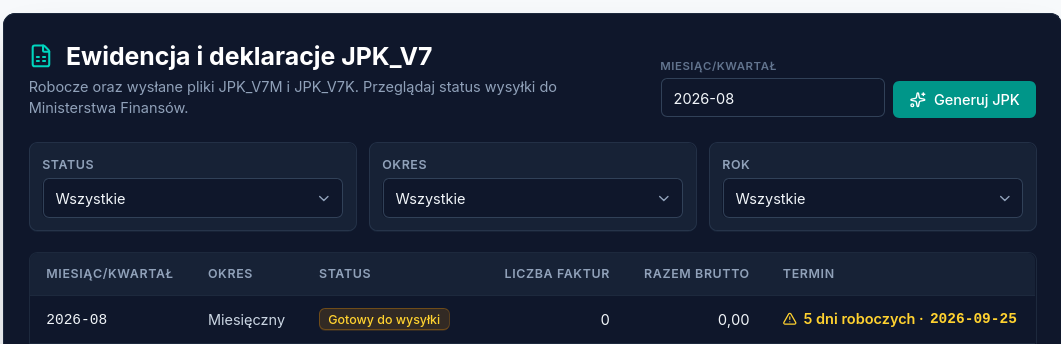
Step 1 — preview
Section titled “Step 1 — preview”A review of the control sums and the draft declaration, before downloading the file for signing.
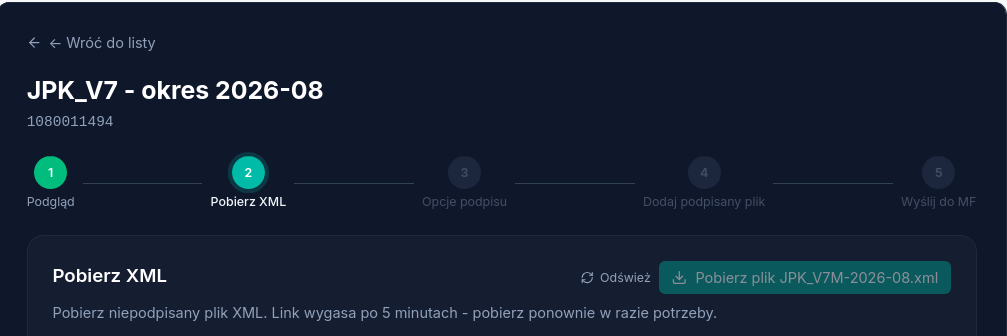
Step 2 — download the XML file
Section titled “Step 2 — download the XML file”Download the unsigned XML file. The download link expires after 5 minutes — you can generate it again if needed.
Atestio doesn’t sign on the user’s behalf — the qualified electronic signature or ePUAP signature is applied by the taxpayer, outside the Atestio platform.
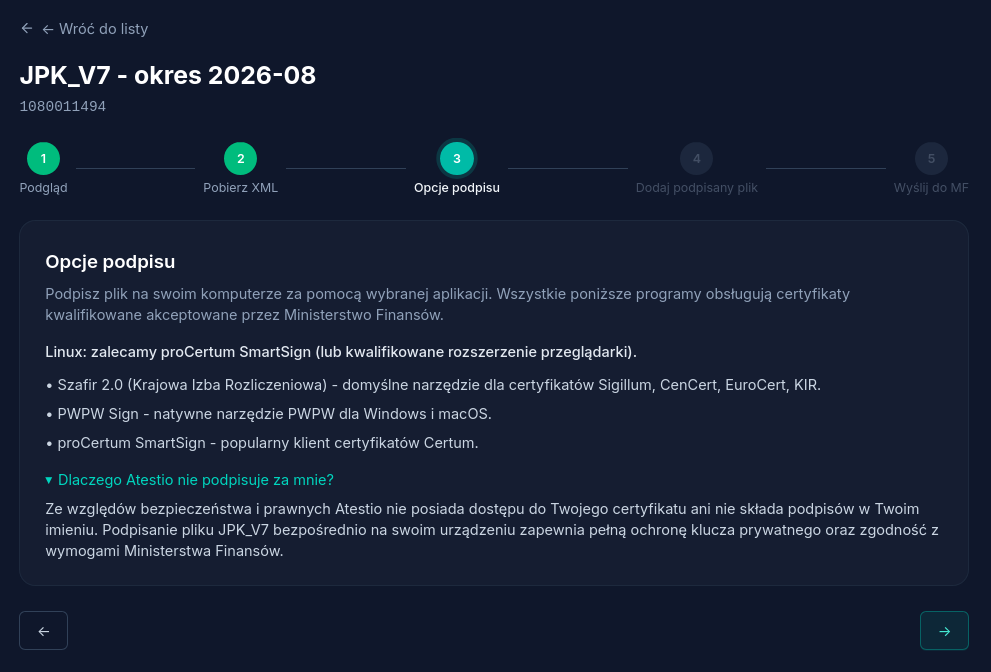
Step 3 — choosing a signing tool
Section titled “Step 3 — choosing a signing tool”The file is signed locally, with a tool of your choice. All of the following support qualified certificates accepted by the Ministry of Finance:
| Tool | Recommended for |
|---|---|
| Szafir 2.0 (Krajowa Izba Rozliczeniowa) | Sigillum, CenCert, EuroCert, KIR certificates; the default tool for Windows. |
| PWPW Sign | Windows and macOS. |
| proCertum SmartSign | Certum certificates; recommended for Linux. |
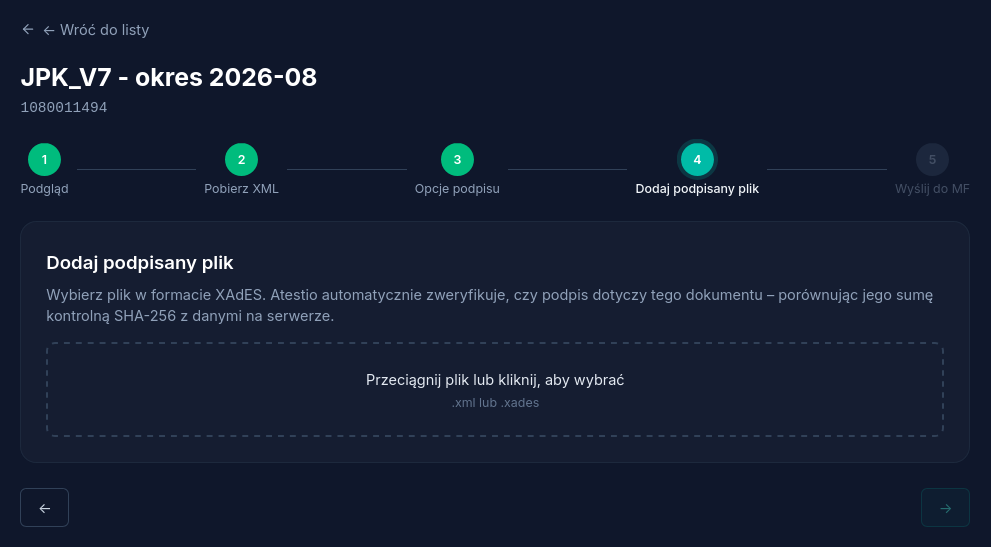
Step 4 — adding the signed file
Section titled “Step 4 — adding the signed file”The signed .xml or .xades file is added by dragging it in or choosing
it from disk. Atestio automatically checks whether the signature belongs
to this document, by comparing the signature’s SHA-256 checksum with the
one saved on the server. A signature for a different draft, or a file with
no signature, is rejected at this stage, before sending.
Step 5 — sending to the Ministry of Finance
Section titled “Step 5 — sending to the Ministry of Finance”The signed file is ready to send. Atestio verifies the signature server-side, then passes the data to the Ministry of Finance’s gateway.
If sending is held up
Section titled “If sending is held up”See What to do if JPK_V7 is rejected.
What’s next
Section titled “What’s next”Was this article helpful?
Thank you.
Thank you. Other articles on this topic may help; if you still can’t find an answer, contact us: pomoc@atestio.pl.