
Getting started
Getting started with Atestio has five steps: creating an account, choosing a business type, connecting to KSeF, choosing a plan, and issuing your first invoice. Each is described below.
Step 1 — creating an account
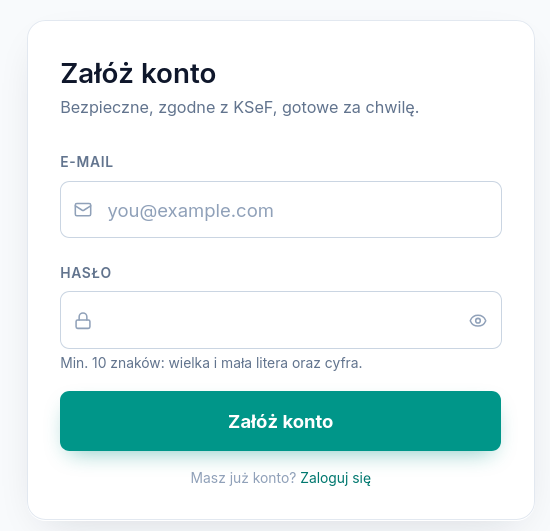
Section titled “Step 1 — creating an account”An account is created on the sign-in page, choosing one of the methods:
- Email and password — requires a password of at least 10 characters, with an uppercase letter, a lowercase letter, and a digit. After registering, a 6-digit verification code is sent to the address given; the account is active once it’s entered.
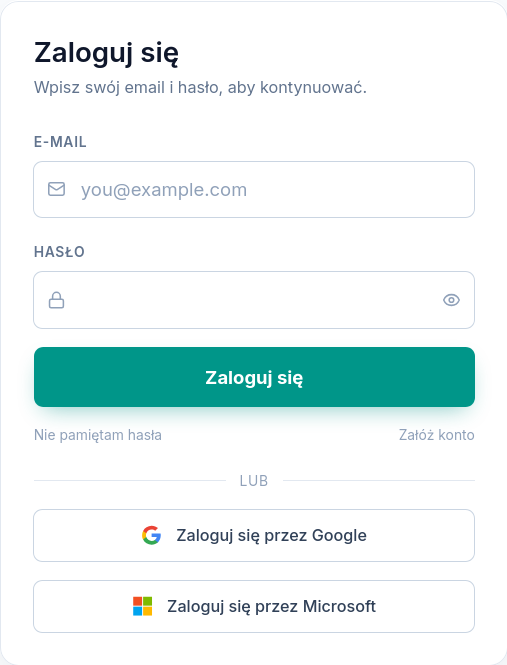
- Google account or Microsoft account — signing in goes through the relevant provider, with no separate Atestio password to set. The Google or Microsoft account’s email address becomes the Atestio account’s address.
You return to an existing account through the sign-in screen, with the same methods:
Step 2 — choosing a business type
Section titled “Step 2 — choosing a business type”After the first sign-in, you need to specify the account type:
| Account type | Who it’s for | What changes |
|---|---|---|
| Individual / sole proprietorship | A sole proprietorship issuing invoices in its own name | Recommended KSeF connection method: Profil Zaufany |
| Accounting firm | An entity issuing and managing invoices for clients | Recommended method: KSeF certificate or a qualified seal; the Clients tab and inviting team members become available |
The account type can be changed later in settings, but it affects the available KSeF connection methods and the menu layout — see Navigating Atestio.
Companies and other businesses that aren’t sole proprietorships
Section titled “Companies and other businesses that aren’t sole proprietorships”The Individual / sole proprietorship account type isn’t reserved for a sole proprietorship in the narrow sense. It supports any single business issuing invoices in its own name — including a limited liability company or a joint-stock company — as long as the account doesn’t manage invoices for other, separate entities. The seller’s name and details on an invoice come from the business settings regardless of its legal form.
The Accounting firm account type is only needed when a single account issues and manages invoices for multiple separate entities — see the Clients tab. A company issuing its own invoices, without handling clients, therefore chooses the Individual / sole proprietorship type, just like a sole proprietorship would.
Step 3 — connecting to KSeF
Section titled “Step 3 — connecting to KSeF”This step is described in detail in How to connect your business to KSeF. In short: a sole proprietorship most often chooses Profil Zaufany, an accounting firm — a KSeF certificate or a qualified seal. A KSeF token remains available for both account types, though the Ministry of Finance has announced it will be withdrawn as a sign-in method — see Ways to connect to KSeF.
Step 4 — choosing a plan
Section titled “Step 4 — choosing a plan”The plan is chosen after connecting to KSeF. Every plan has a monthly limit on sales invoices and OCR scans — see Plan and billing. The plan can be changed at any time under Settings → Billing.
Step 5 — your first invoice
Section titled “Step 5 — your first invoice”From here, the account is ready to work — see Issuing your first invoice.
What’s the difference between a sole-proprietorship account and an accounting-firm account?
Section titled “What’s the difference between a sole-proprietorship account and an accounting-firm account?”A sole-proprietorship account supports one business. An accounting-firm account lets you manage multiple clients from a single dashboard and invite team members with different permissions — see Roles and permissions at an accounting firm.
What’s next
Section titled “What’s next”Was this article helpful?
Thank you.
Thank you. Other articles on this topic may help; if you still can’t find an answer, contact us: pomoc@atestio.pl.