
Troubleshooting
An invoice has the status “rejected” — what now?
Section titled “An invoice has the status “rejected” — what now?”The rejection reason returned by KSeF can be checked by opening the invoice; after correcting the fields it points to, resend the document.
KSeF is unavailable or returns a connection error
Section titled “KSeF is unavailable or returns a connection error”Temporary outages on the KSeF side can happen — Atestio automatically retries the submission. If the problem persists, please contact us — see also When KSeF is unavailable.
Errors when connecting with a token
Section titled “Errors when connecting with a token”“Could not verify with KSeF” — the token may have expired or been revoked in the KSeF Portal. Generate a new token and enter it again.
“Verification failed” — check that the token was pasted in full, with no spaces at the start or end.
Errors when connecting with a certificate
Section titled “Errors when connecting with a certificate”“Upload the certificate and verify it in KSeF” — the certificate was uploaded but hasn’t been verified yet; select Verify next to the credential’s row.
“The verified certificate doesn’t contain the entity’s NIP” — the certificate doesn’t carry data identifying the taxpayer; upload the certificate again, checking that it’s for the right NIP.
“An authentication certificate is required” — a certificate marked as offline-mode isn’t used for signing in to KSeF; a separate certificate with the authentication role is needed — see Ways to connect to KSeF.
Errors when connecting with Profil Zaufany
Section titled “Errors when connecting with Profil Zaufany”“NIP must have exactly 10 digits” — check that the NIP was entered without hyphens or spaces.
“Couldn’t start the Profil Zaufany session” — try again shortly; if the problem repeats, check that Profil Zaufany itself is working, directly on the gov.pl site.
The browser blocked a new tab — Profil Zaufany opens in a new tab; allow pop-ups for Atestio in your browser and try again.
Recovering your password
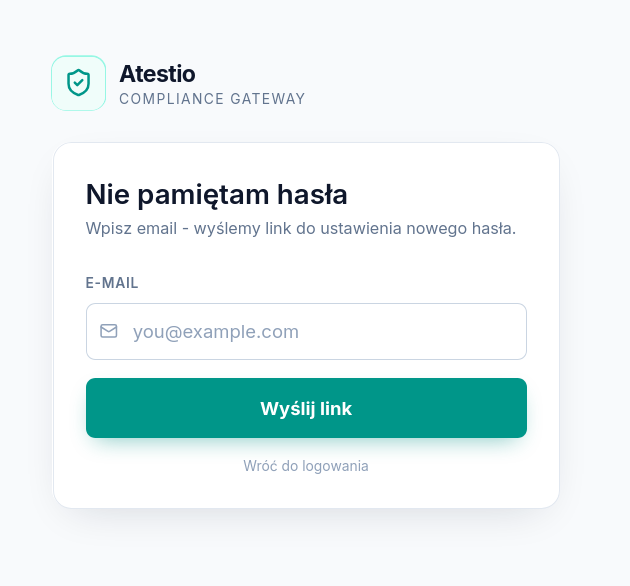
Section titled “Recovering your password”To receive a password-reset link, use the “I don’t remember my password” option on the sign-in screen.
Couldn’t find an answer?
Section titled “Couldn’t find an answer?”You can reach us at pomoc@atestio.pl — we reply on business days.
Was this article helpful?
Thank you.
Thank you. Other articles on this topic may help; if you still can’t find an answer, contact us: pomoc@atestio.pl.