
How to connect your business to KSeF
For Atestio to issue invoices on the taxpayer’s behalf, it needs the right permission granted in KSeF. The permission is granted once — Atestio uses it for every subsequent submission.
Prerequisites
Section titled “Prerequisites”To connect your account you need:
- Your business’s NIP — the one invoices are issued under,
- Profil Zaufany or a qualified signature — for the first sign-in to KSeF,
- access to your Atestio account with the Owner or Administrator role.
Step 1 — sign in to KSeF
Section titled “Step 1 — sign in to KSeF”Signing in to the National e-Invoicing System is done with Profil Zaufany or a qualified signature, outside the Atestio platform — credentials are entered directly in the Ministry of Finance’s own system.
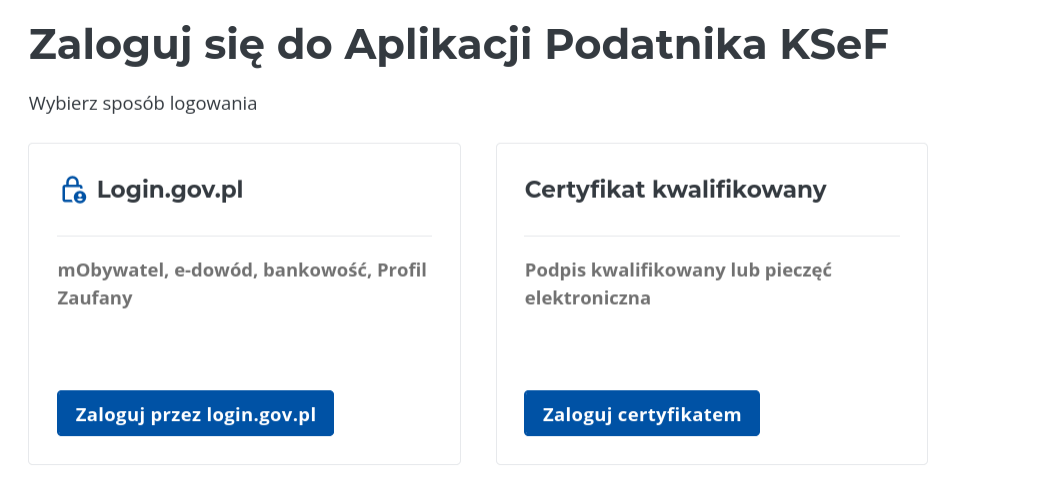
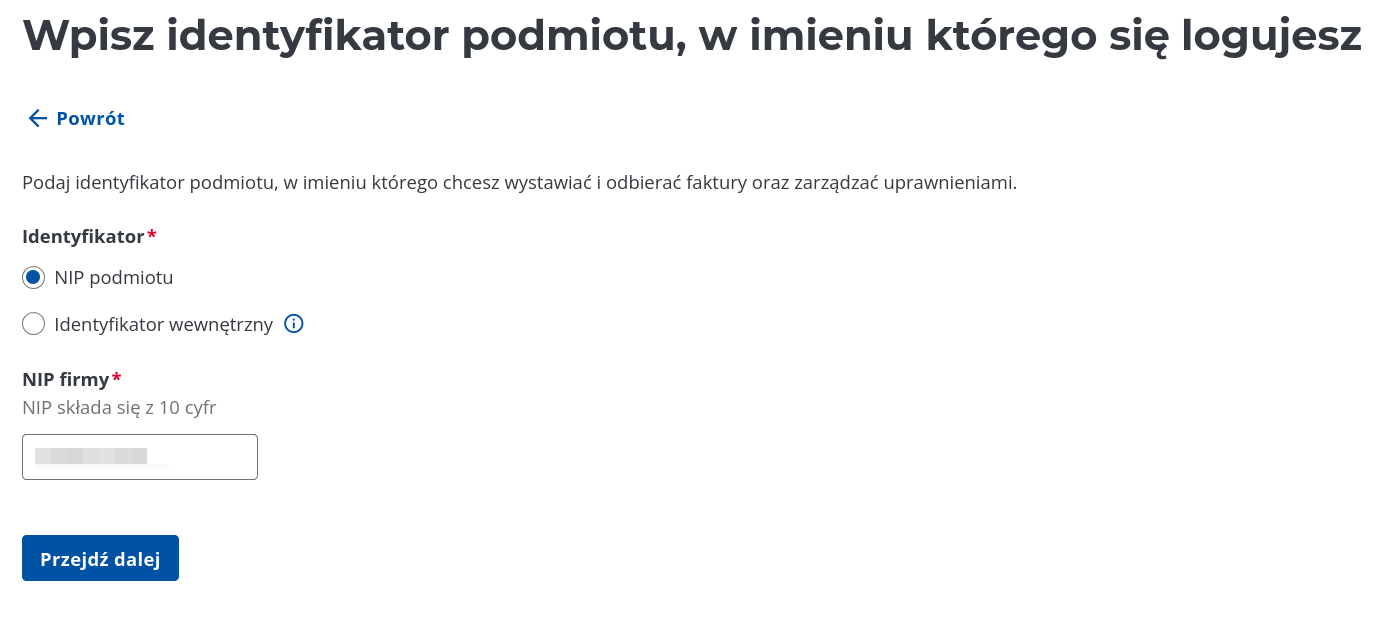
After choosing a method, the system asks for the NIP of the entity you are signing in on behalf of:
Step 2 — grant the permission
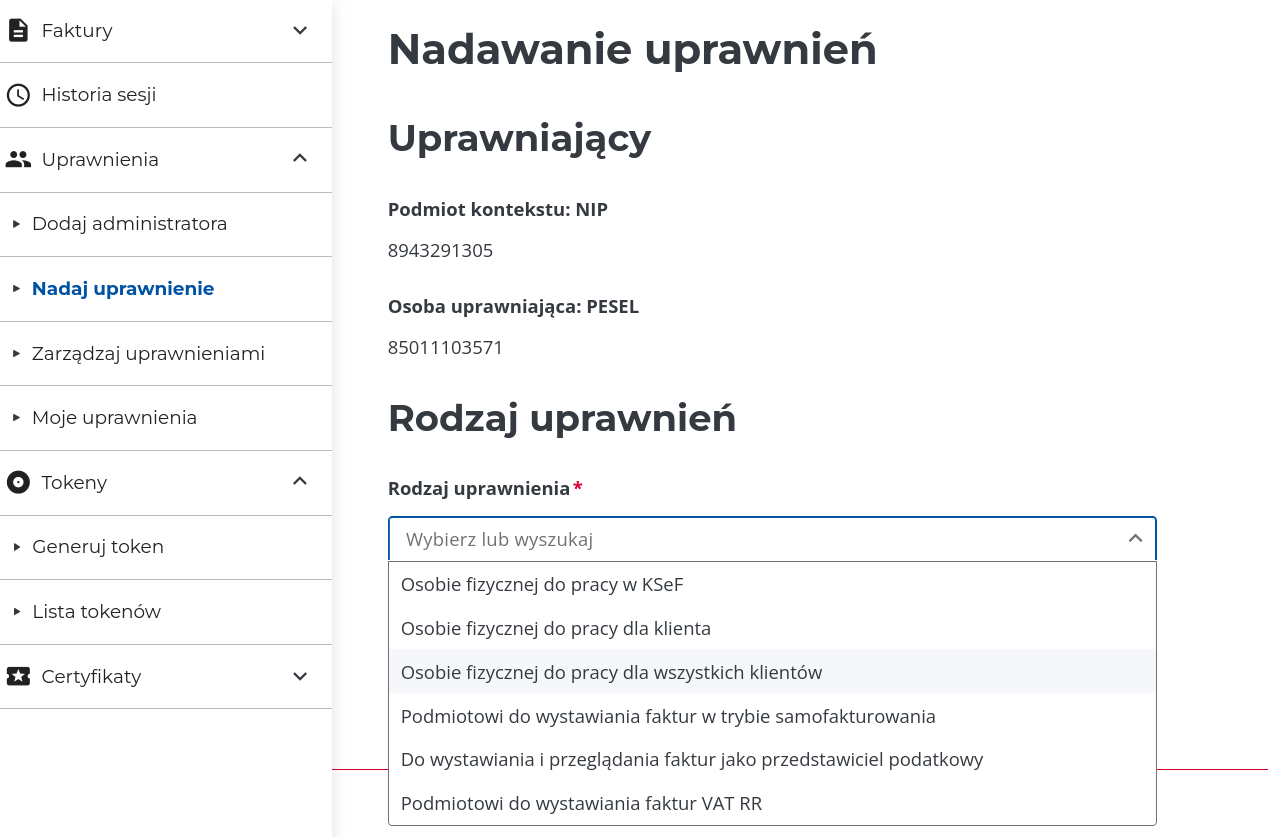
Section titled “Step 2 — grant the permission”In the KSeF panel, grant permissions covering both issuing and receiving invoices — Atestio needs both together:
| Permission | What it’s for |
|---|---|
| Issue invoices | Sending the taxpayer’s sales invoices to KSeF |
| Receive invoices | Pulling purchase invoices into Atestio’s inbox |
Without the receive permission, Atestio will send issued invoices, but the purchase inbox will stay empty.
Step 3 — connect the account in Atestio
Section titled “Step 3 — connect the account in Atestio”The connection is started in Atestio, under Settings → KSeF. Starting it redirects you to authentication; on return, Atestio confirms the permission is active.
From that point on, every issued invoice is sent to KSeF automatically.
What to do if the connection fails
Section titled “What to do if the connection fails”“No permission” — the permission was granted for a different NIP than the one set in Atestio. Check the NIP under Settings → Business details.
Authentication ends in an error — usually because the session expired. Close the window and start the connection again.
The connection works, but the purchase inbox is empty — this means the receive permission is missing; go back to step 2.
What’s next
Section titled “What’s next”Was this article helpful?
Thank you.
Thank you. Other articles on this topic may help; if you still can’t find an answer, contact us: pomoc@atestio.pl.