
Navigating Atestio
Once signed in, the main menu is on the left side of the screen. The number and content of its items depend on the account type — see Getting started.
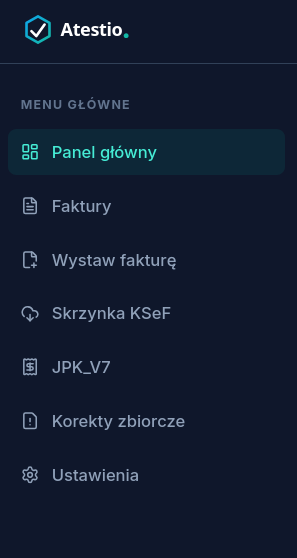
Menu items
Section titled “Menu items”| Item | Leads to | Contents |
|---|---|---|
| Dashboard | The account’s dashboard | Documents awaiting acceptance, KSeF connection status, recently synced documents. Contents differ between a sole-proprietorship account and an accounting-firm account. |
| Invoices | The invoice list | Sales and purchase invoices issued or received via KSeF, with their status. |
| Issue invoice | The new-invoice form | Issuing an invoice, a rachunek, or a Pro Forma document. |
| Clients (accounting firms only) | The firm’s client list | The entities the firm issues invoices for, and their KSeF authorizations. |
| KSeF inbox | The panel of invoices synced from KSeF | Sales invoices and purchases received from the National e-Invoicing System, with filters and a search box. |
| JPK_V7 | JPK_V7 records and declarations | Generated and sent JPK_V7M / V7K files, their status, and the sign-and-send wizard. |
| Bulk corrections | The bulk correction wizard | Preparing and sending multiple corrections at once. |
| Settings | The account settings panel | Account details, KSeF integration, plan and billing, document customization — see Settings overview. |
Account name and signing out
Section titled “Account name and signing out”The signed-in user’s email address is visible at the top of the menu. Signing out is available in the same place.
What’s next
Section titled “What’s next”Was this article helpful?
Thank you.
Thank you. Other articles on this topic may help; if you still can’t find an answer, contact us: pomoc@atestio.pl.