
Purchase invoices from KSeF
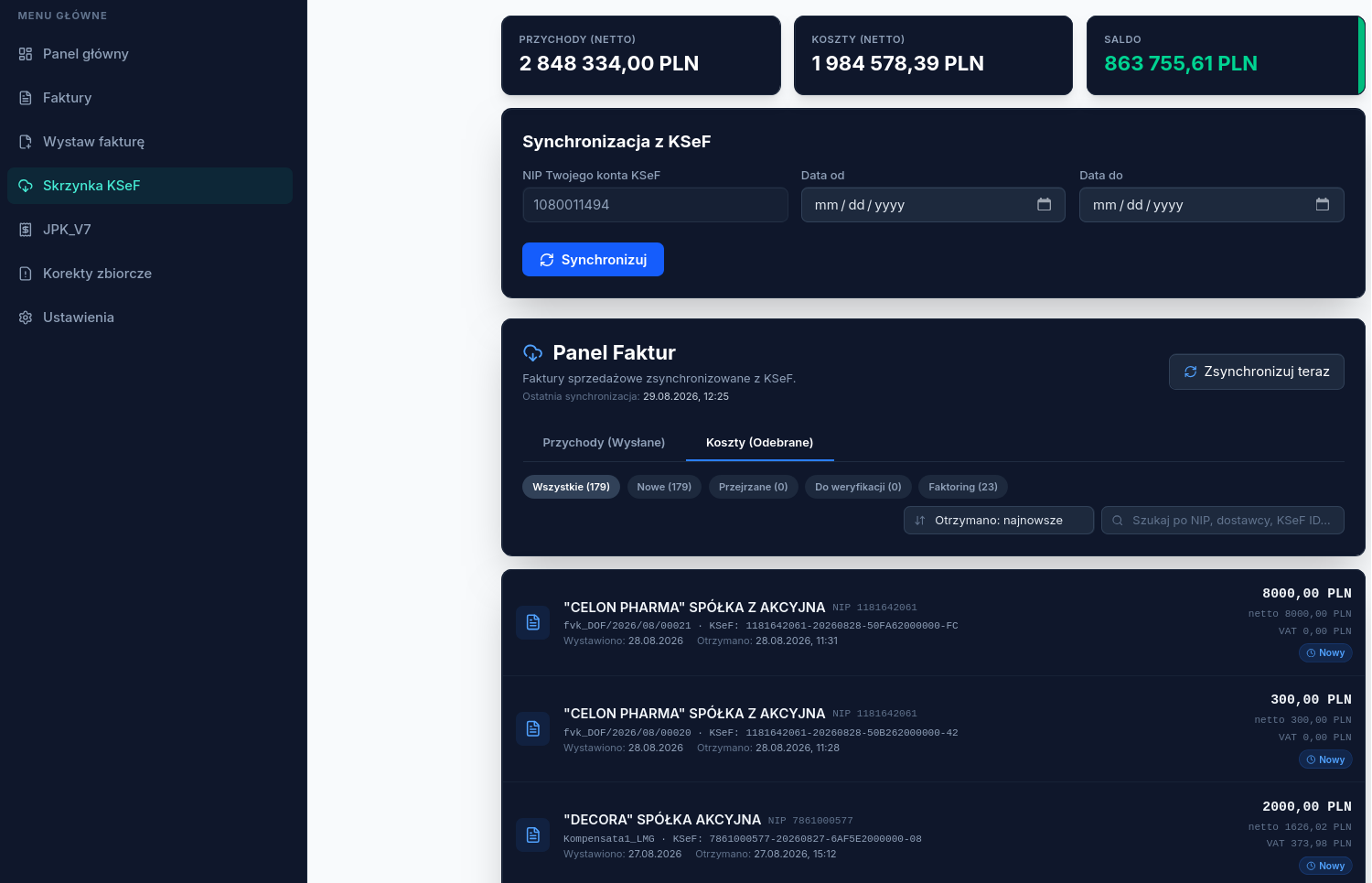
The KSeF inbox → Costs (Received) tab synchronizes invoices issued to the taxpayer’s NIP by other sellers.
Filtering the list
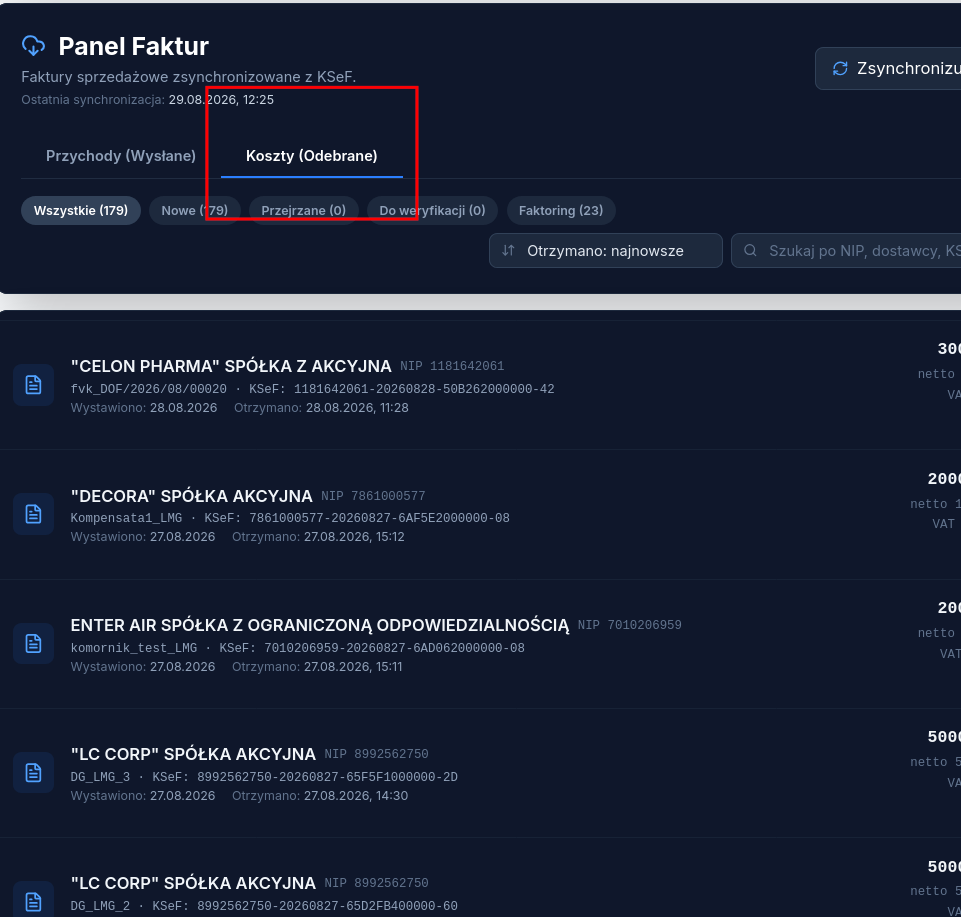
Section titled “Filtering the list”The list can be narrowed with tabs: All, New, Reviewed, Needs review, and Factoring — the last one shows only invoices that name a third party (a factor).
Document details and available actions
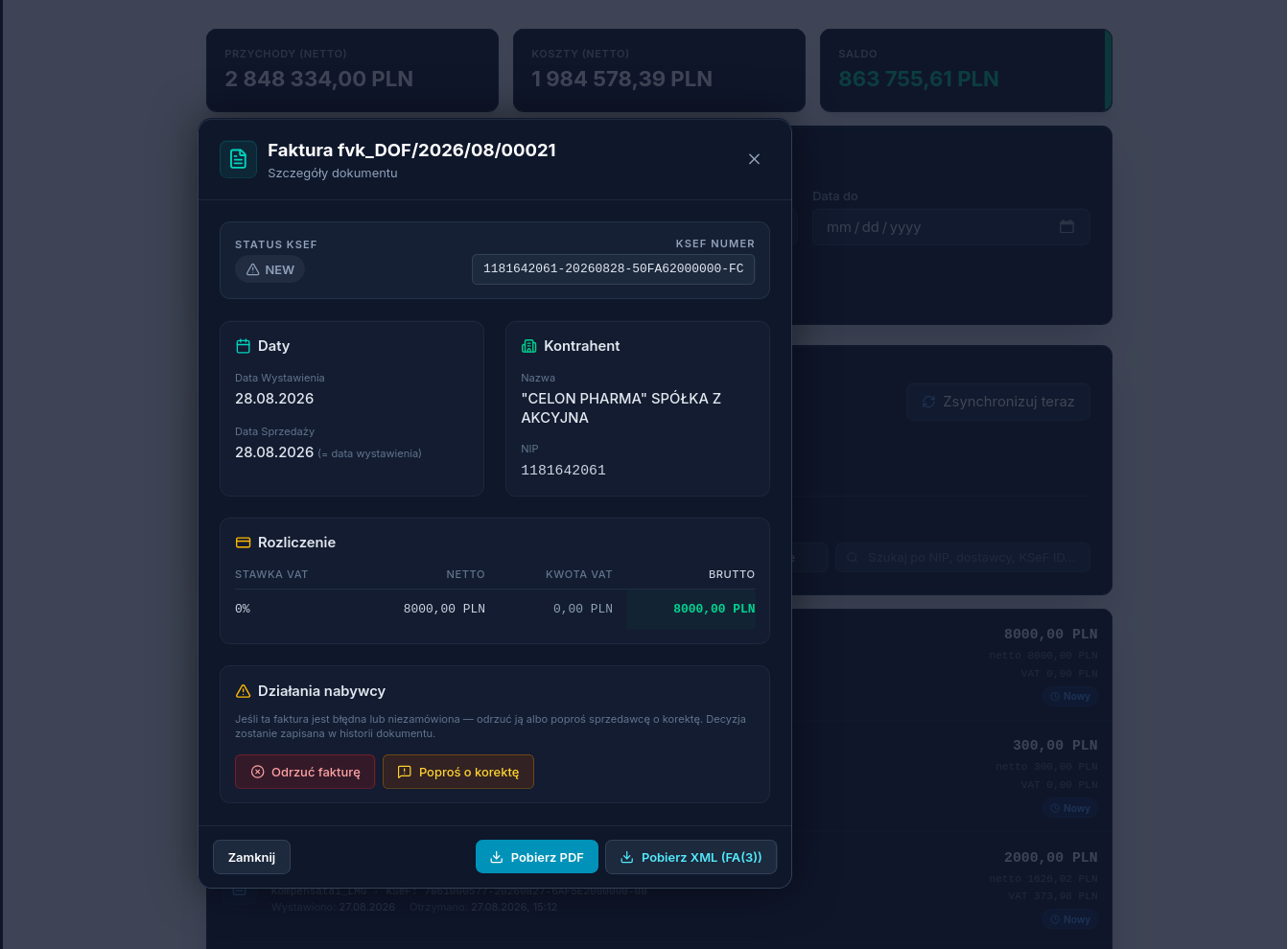
Section titled “Document details and available actions”On the invoice card you’ll find:
- PDF and XML FA(3) under Export (on narrower screens, in the Download or More menu) — the XML file is the binding legal document, see KSeF number, QR code, and visualization.
- Reject invoice — if the document is incorrect or unrecognized; the decision is saved in the document’s history.
- Request a correction — sends the seller a request to correct the document.
Couldn’t find an answer?
Section titled “Couldn’t find an answer?”You can reach us at pomoc@atestio.pl — we reply on business days.
Was this article helpful?
Thank you.
Thank you. Other articles on this topic may help; if you still can’t find an answer, contact us: pomoc@atestio.pl.